
G-SYNC 101: G-SYNC vs. V-SYNC OFF


Beyond the Limits of the Scanout

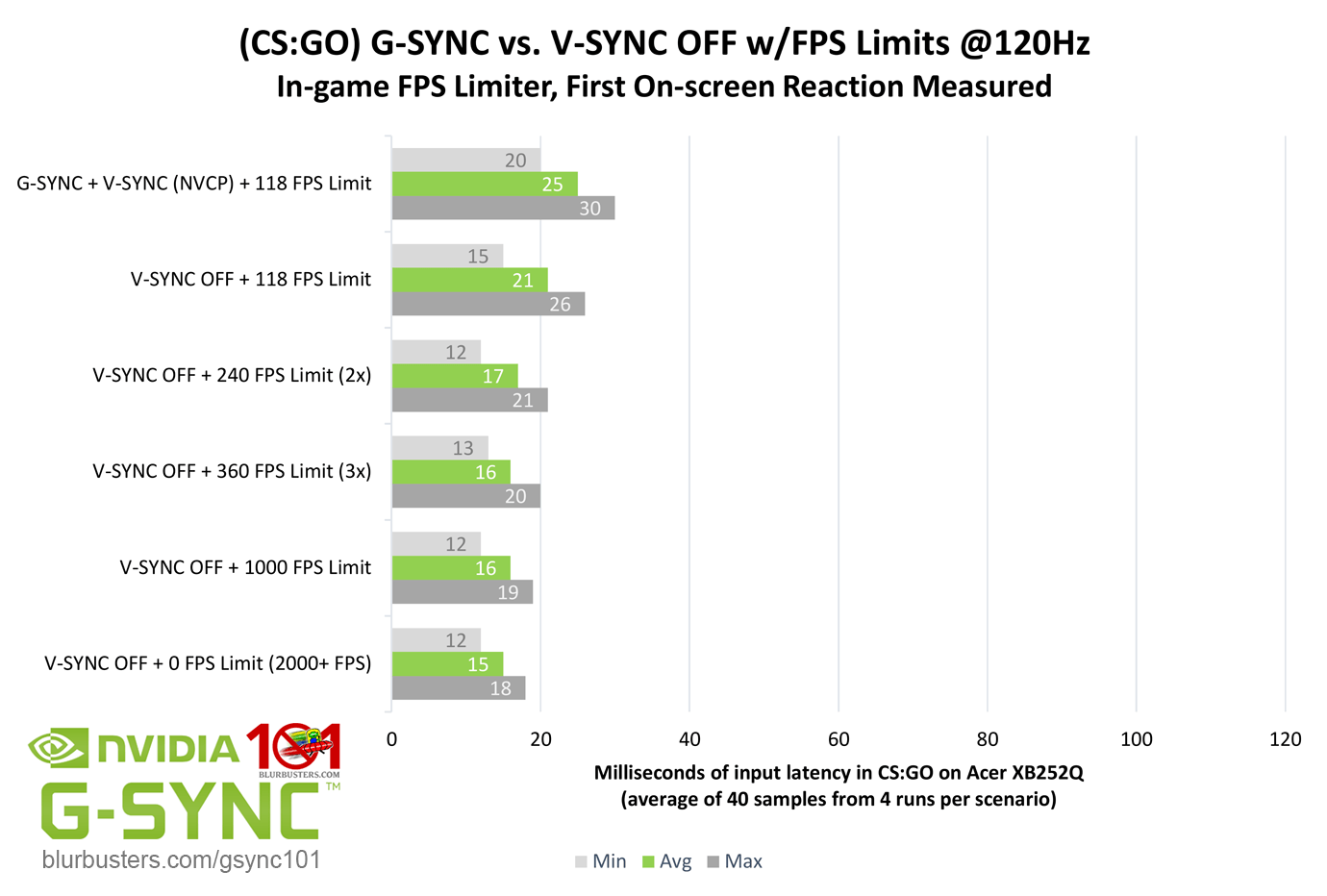
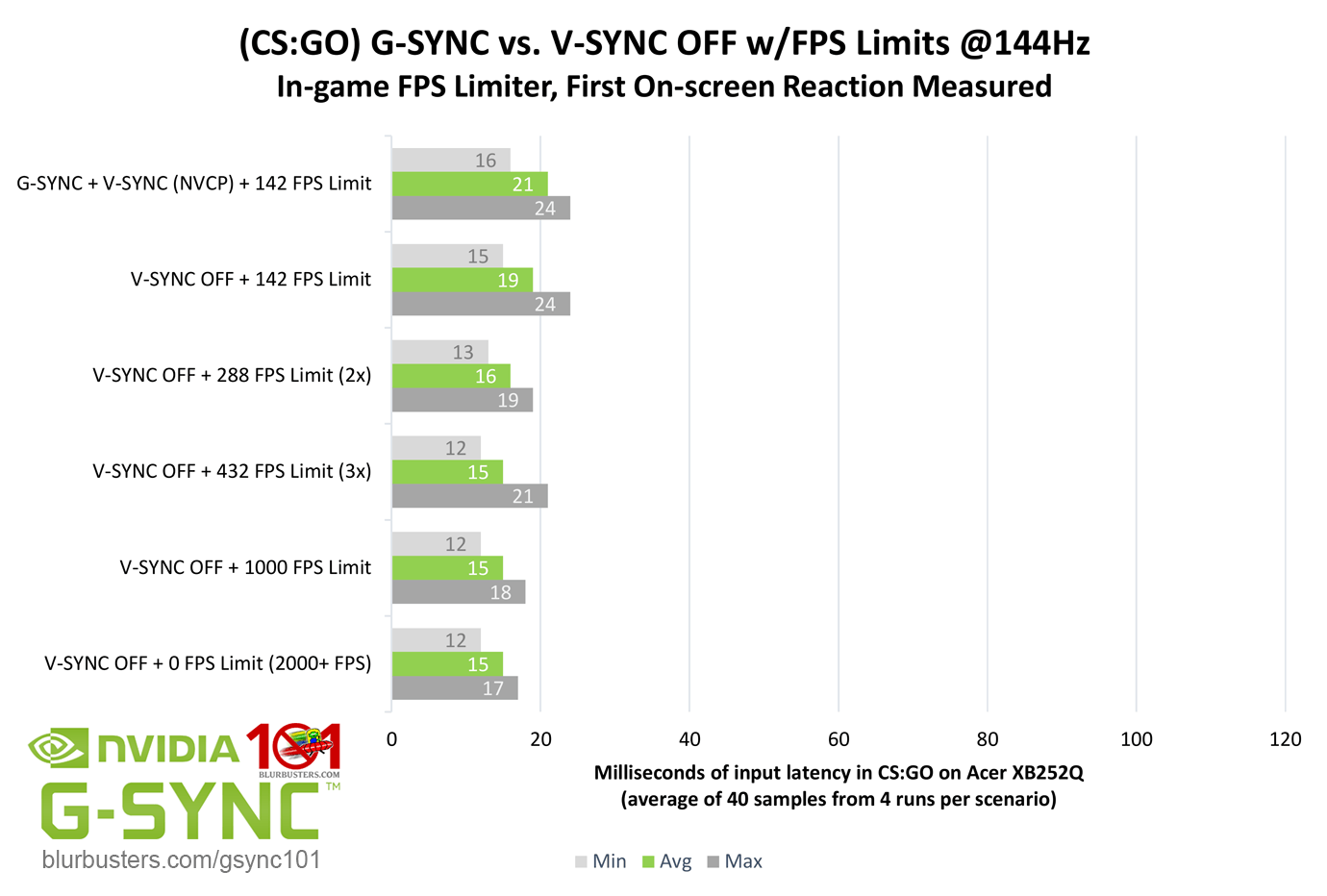
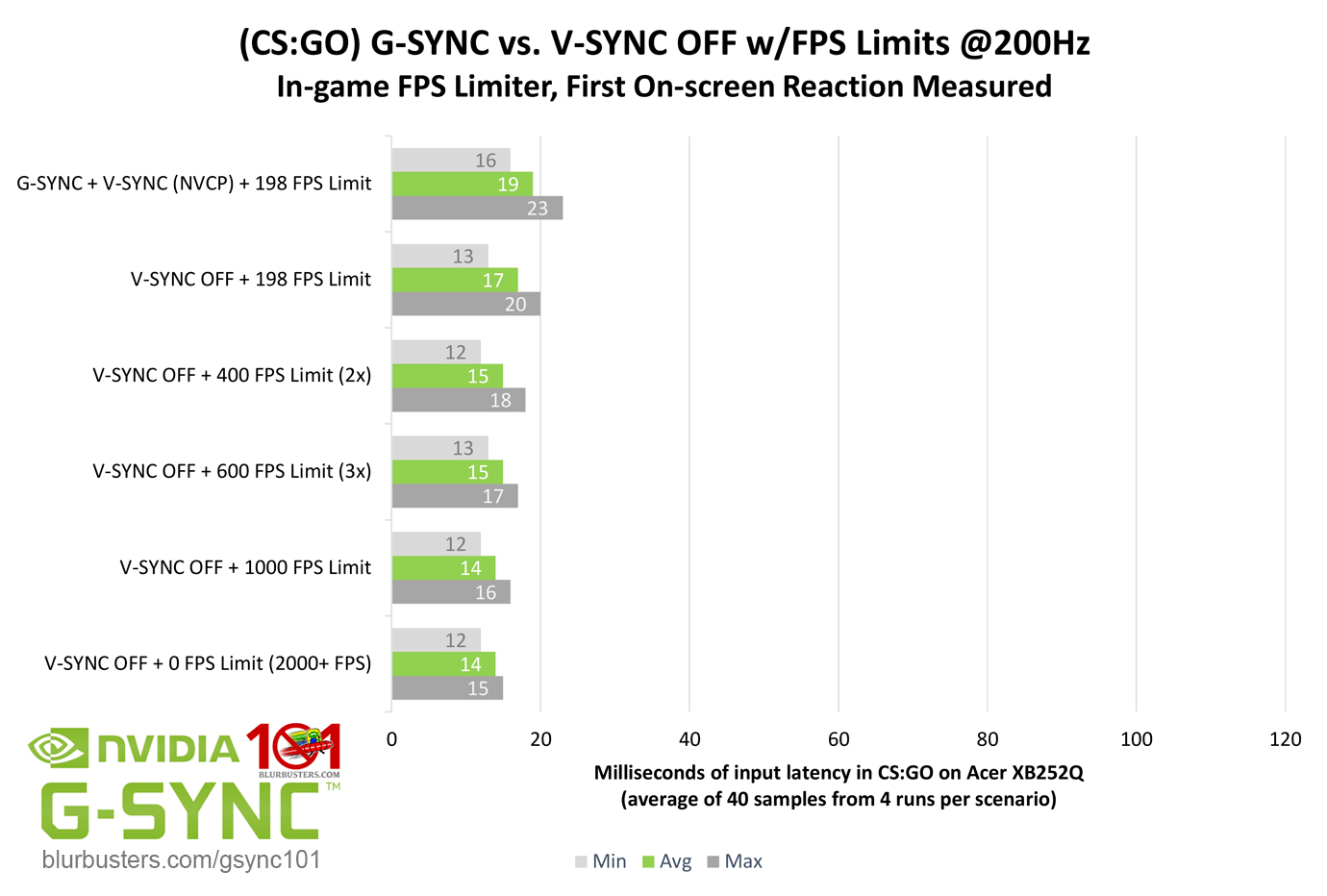
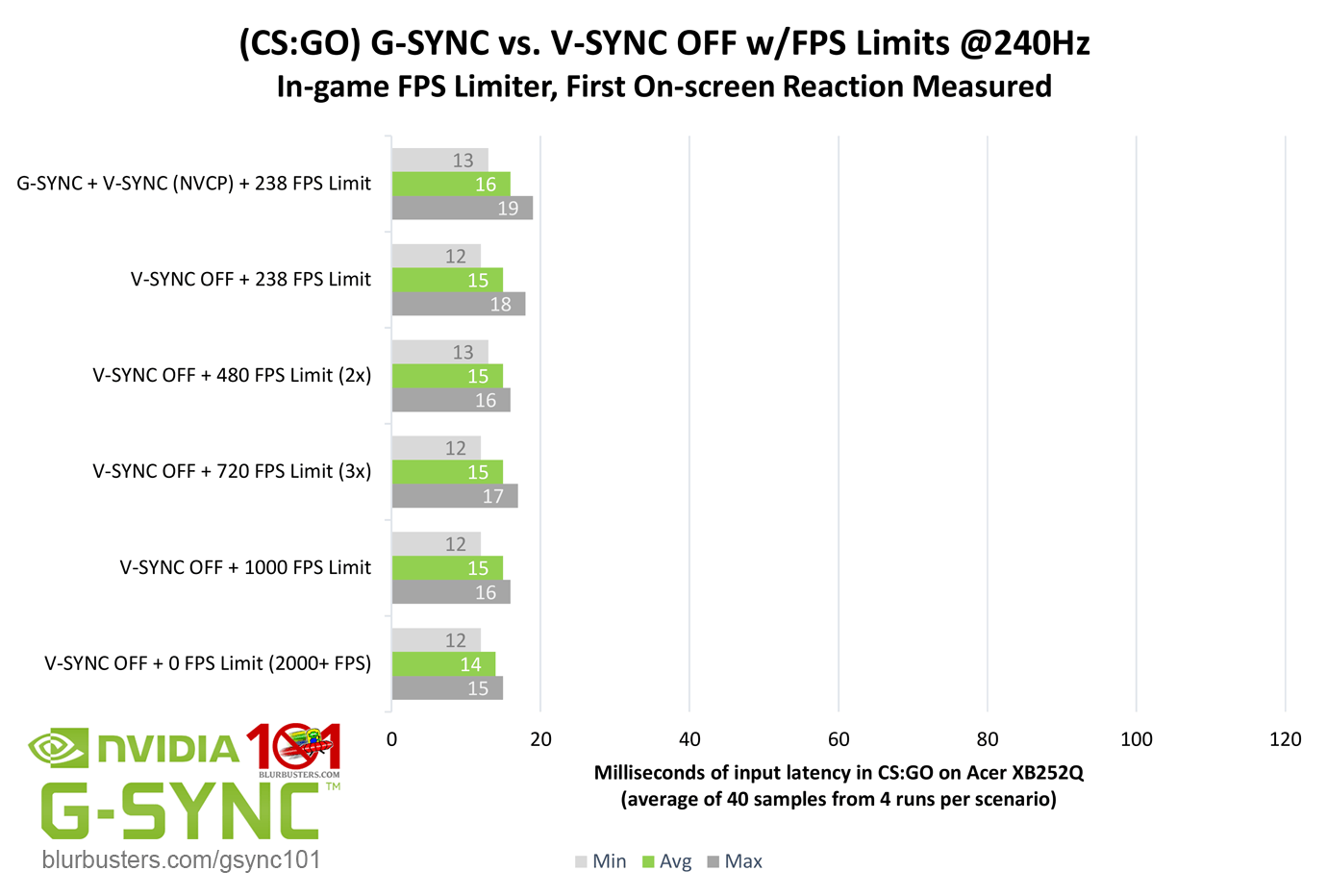
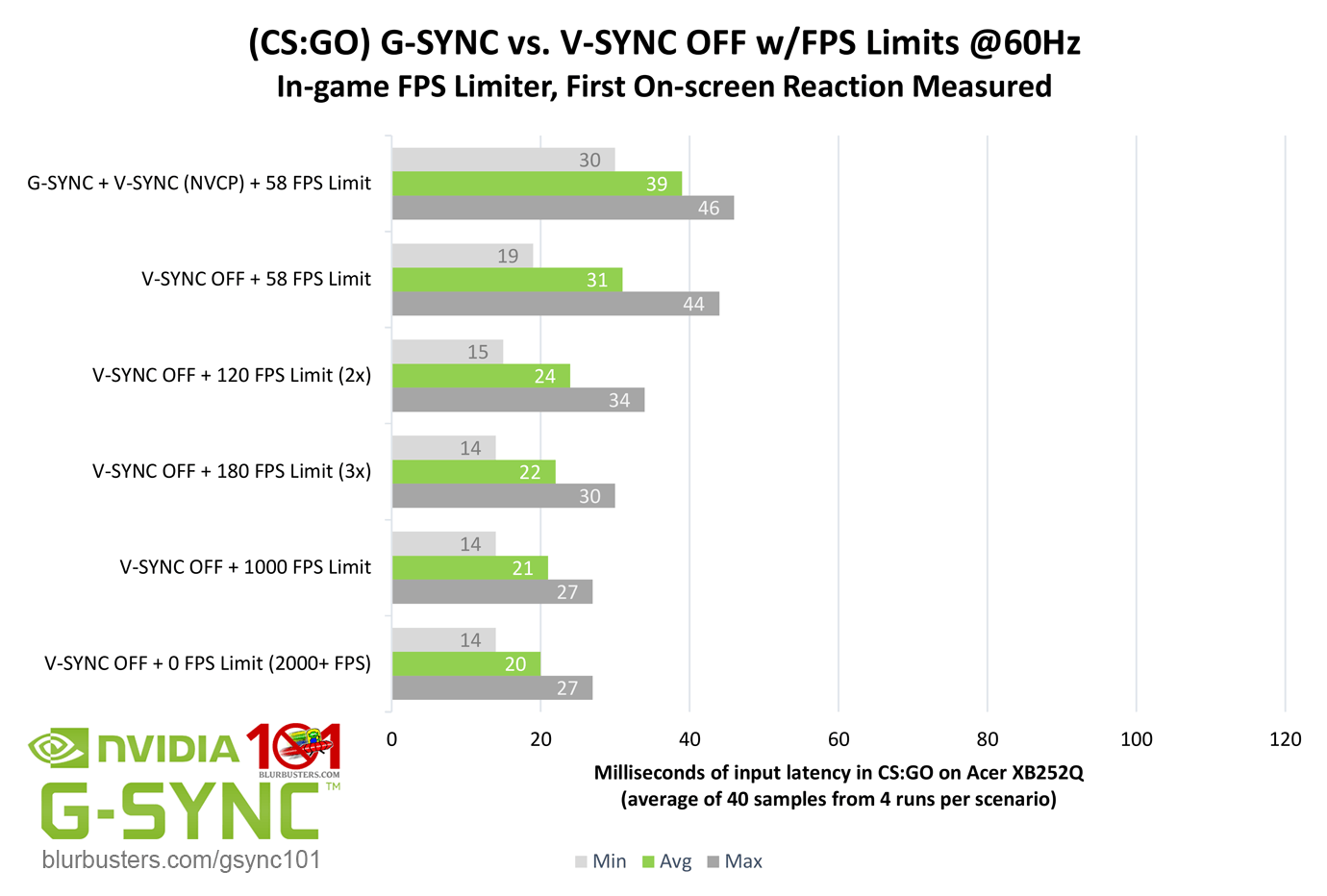
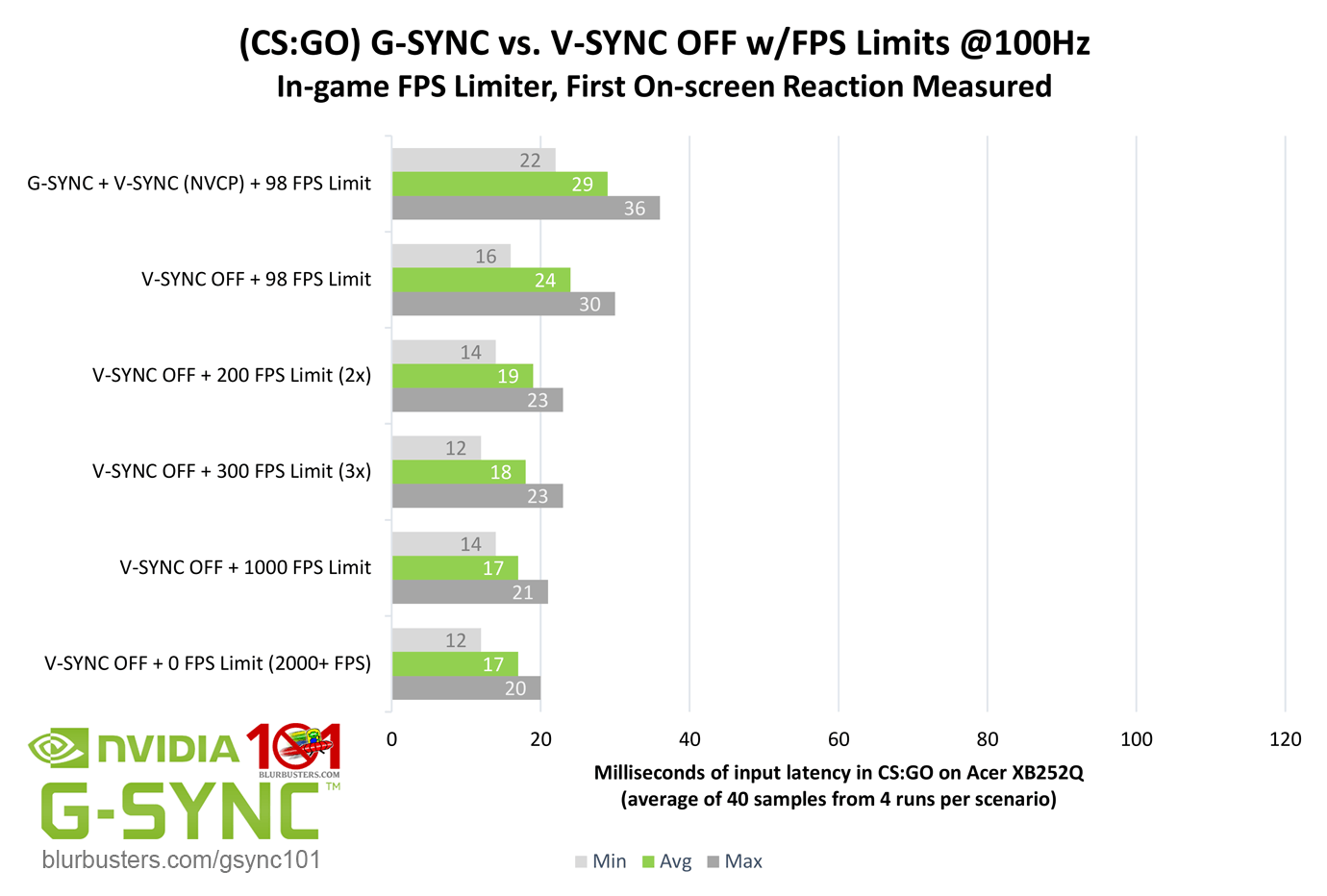
It’s already been established that single, tear-free frame delivery is limited by the scanout, and V-SYNC OFF can defeat it by allowing more than one frame scan per scanout. That said, how much of an input lag advantage can be had over G-SYNC, and how high must the framerate be sustained above the refresh rate to diminish tearing artifacts and justify the difference?
Blur Buster's G-SYNC 101: Input Latency & Optimal Settings

Quite high. Counting first on-screen reactions, V-SYNC OFF already has a slight input lag advantage (up to a 1/2 frame) over G-SYNC at the same framerate, especially the lower the refresh rate, but it actually takes a considerable increase in framerate above the given refresh rate to widen the gap to significant levels. And while the reductions may look significant in bar chart form, even with framerates in excess of 3x the refresh rate, and when measured at middle screen (crosshair-level) only, V-SYNC OFF actually has a limited advantage over G-SYNC in practice, and most of it is in areas that one could argue, for the average player, are comparatively useless when something such as a viewmodel’s wrist is updated 1-3ms faster with V-SYNC OFF.

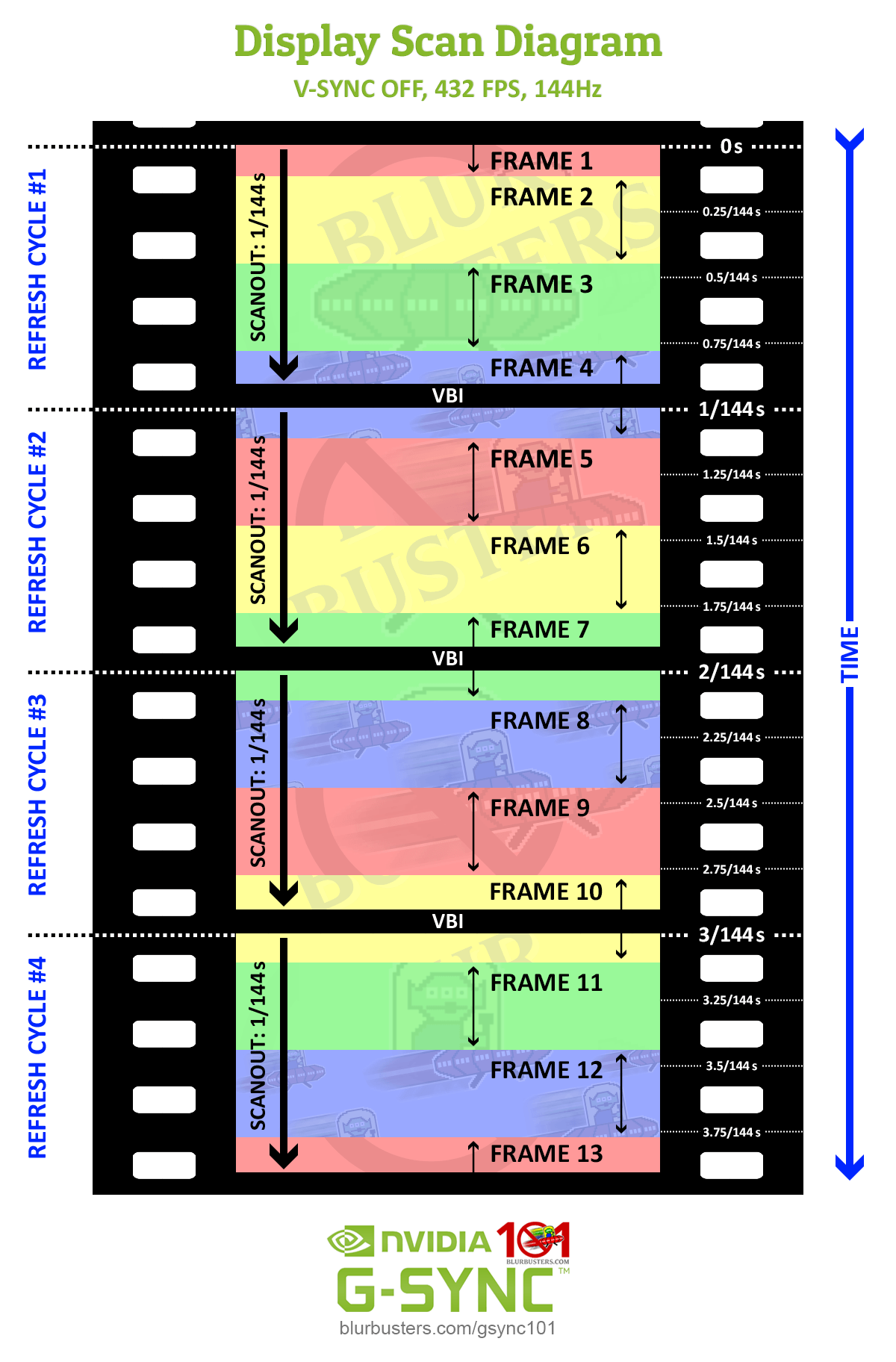
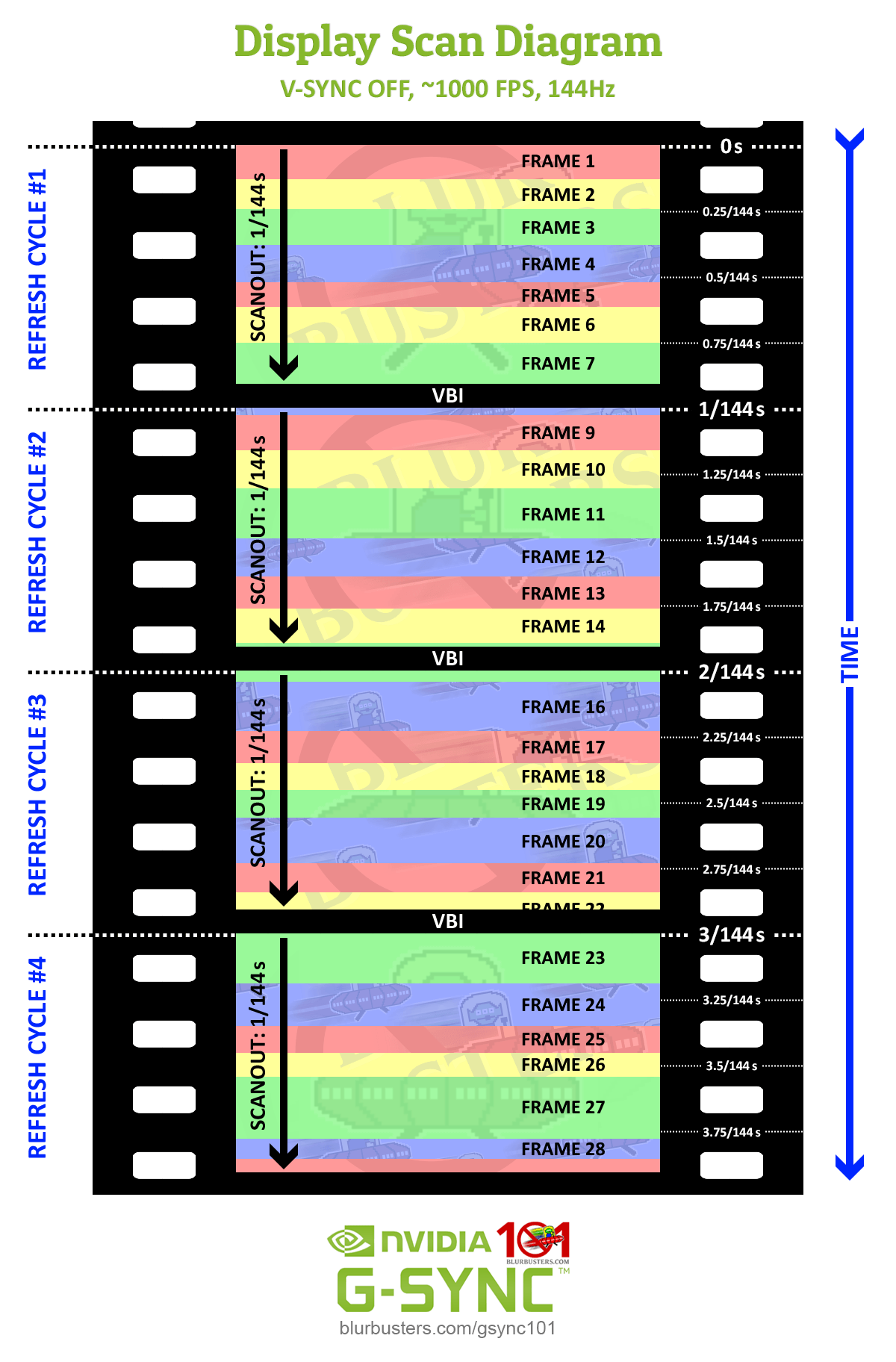
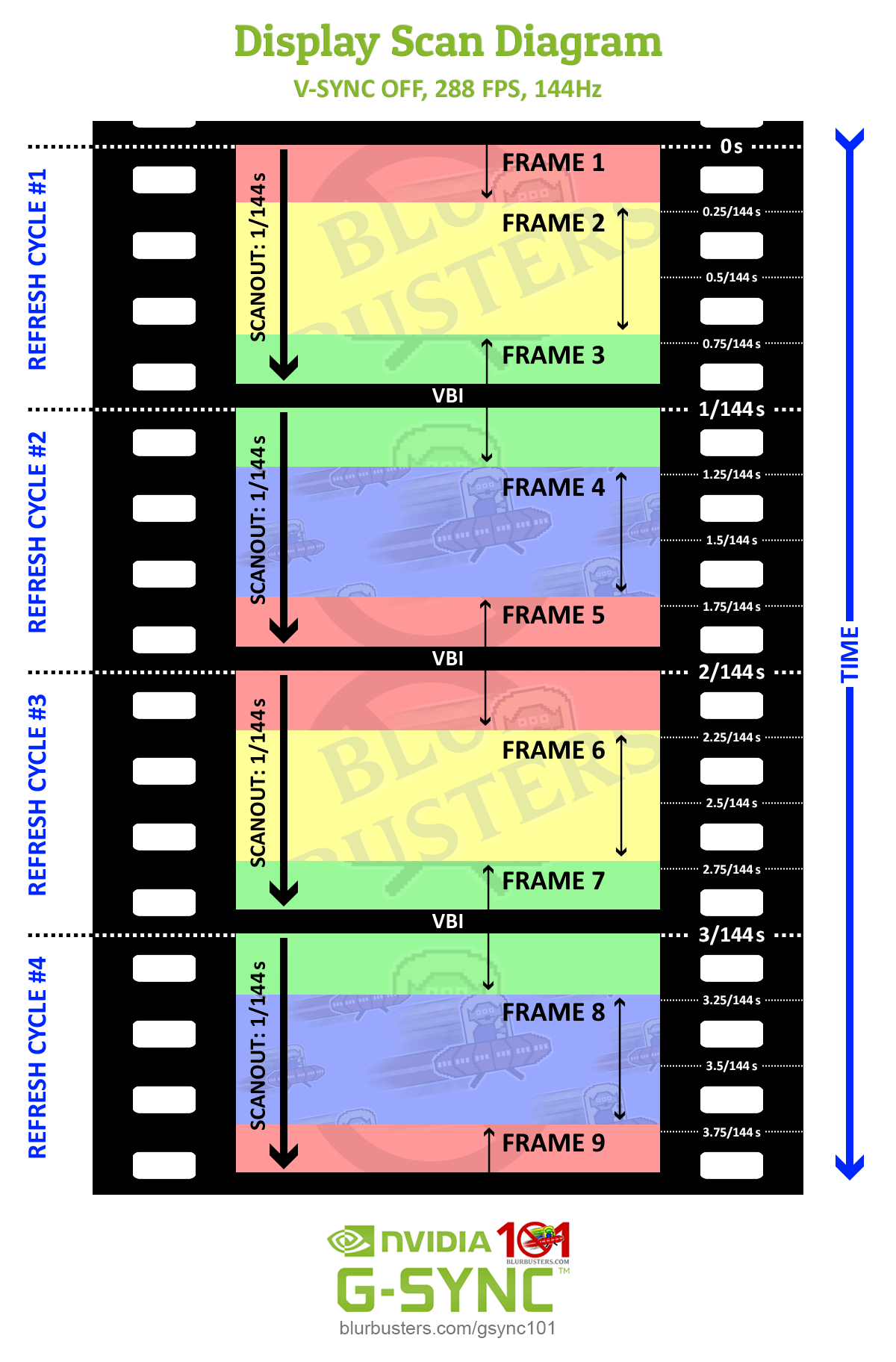
This is where the refresh rate/sustained framerate ratio factors in:
Blur Buster's G-SYNC 101: Input Latency & Optimal Settings

As shown in the above diagrams, the true advantage comes when V-SYNC OFF can allow not just two, but multiple frame scans in a single scanout. Unlike syncing solutions, with V-SYNC OFF, the frametime is not paced to the scanout, and a frame will begin scanning in as soon as it’s rendered, regardless whether the previous frame scan is still in progress. At 144Hz with 1000 FPS, for instance, this means with a sustained frametime of 1ms, the display updates nearly 7 times in a single scanout.

In fact, at 240Hz, first on-screen reactions became so fast at 1000 FPS and 0 FPS, that the inherit delay in my mouse and display became the bottleneck for minimum measurements.

So, for competitive players, V-SYNC OFF still reigns supreme in the input lag realm, especially if sustained framerates can exceed the refresh rate by 5x or more. However, while at higher refresh rates, visible tearing artifacts are all but eliminated at these ratios, it can instead manifest as microstutter, and thus, even at its best, V-SYNC OFF still can’t match the consistency of G-SYNC frame delivery.



3756 Comments For “G-SYNC 101”

This site uses Akismet to reduce spam. Learn how your comment data is processed.

Sort by:   newest | oldest | most liked
petran79
Member
petran79

I have an Asus Rog p348q monitor at 100 hz. Set frame rate cap at 97. I notice an issue with the updated Vulkan renderer in some applications. In Snes9x emulator for example, the games run at 48 fps instead of 60. I have to set Vulkan/OpenGL present method to Native.
While on Retroarch, on top of that step, I also have to enable “Application controlled refresh rate” option, same for Dolphin emulator where I have to disable max frame rate.

Recently I noticed a 2d game where I had to set nvidia panel frame rate to 120 in order for game to run at 60 fps instead of 48.

Razvan Badaluta
Member
Razvan Badaluta

Hello!

Without a fps cap i am getting around 800 fps in fortnite creative but when i turn v sync on( even in the Nvidia apps) i am getting a limit at 438 or sometimes 425 ( i have the xg27aqdpg 500 Hz monitor) i want a fast frametime and fps as close as I can get to the monitor refresh rate but i do not want tearing. I tried playing around with Nvidia low latency but i did not notice any difference. All this happened with g sync on. I did something wrong? any tips?

Noidy
Member
Noidy

Hello!

Im getting lost in the sauce… I Have an AMD gpu with a freesync premium pro display (msi maq 1440p oled 240hz). I play mainly overwatch but I like to play with a tear free screen. So with -3 fps limit, Freesync + v-sync i only add 1 ms of delay compared to freesync/vsync off and fps unlimited?

wttrbb
Member
wttrbb

Hey man thanks for the detailed guide! I’m sorry if this is been mentioned anywhere I just couldn’t find it. What would your recommended settings for frame generation in games be? Is there anything to keep in mind when using that?
Kind regards

schustez
Member
schustez

does using reflex on + boost or ultra low latency always cap your fps below the max refresh rate of your monitor when you can sustain a higher fps or only when you are gpu bound?

wpDiscuz