
 Menu
Menu
Who Is this for? CRT Enthusiasts, software & hardware developers, emulator authors, all of who wish to reduce display motion blur of 60 years of legacy 60fps 60Hz content with softer flicker than BFI.
UPDATE 2025/11/18: New CRT Simulator Demo on TestUFO 3.0.
UPDATE 2024/12/24: CRT Simulator was added to Retroarch emulator the same day we released this!
New Open Source Algorithm of Simulating CRT Raster-Scanning
People who have seen a CRT tube in motion, know how shockingly clear motion they are. Blur Busters is born of display motion blur reduction, and so we’ve been fans of all kinds of motion blur reduction techniques.
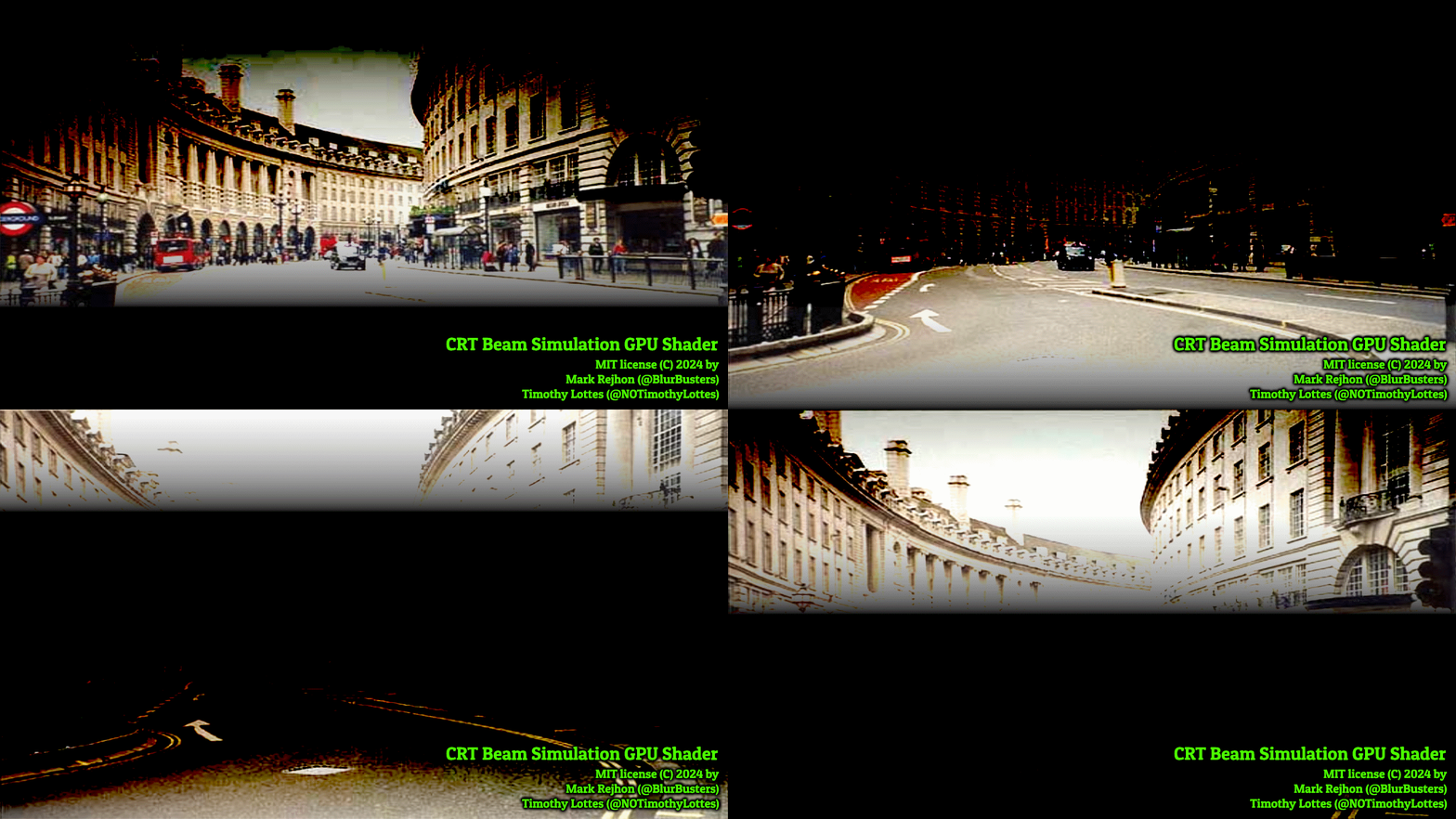
Between myself and Timothy Lottes (ex-NVIDIA ex-AMD), we have come up with a breakthrough algorithm for simulating a CRT tube, now released on TestUFO, on shadertoy and on github, with the following features:
- Major motion blur reduction on 240Hz+ displays.
- Soft phosphor fade & rolling scan, less eyestrain at same Hz than BFI or strobe mode.
- Variable per-pixel MPRT (Timothy Lotte’s brightness redistribution algorithm).
- Great for reducing display motion blur of 60 years of legacy 60fps 60Hz content.
- Works on LCDs and OLEDs
- Realtime (for retro & emulator uses) and slo-mo modes (educational)
- Brightness adjustment (less motion blur at lower gain values, by trading off brightness)
- Seamless; no banding* (when ABL algorithm in display isn’t interfering)
Real-Time Version
Flicker sensitivity note: Do not click if you are sensitive to flicker.
TestUFO now has a Real-Time Demo Of CRT Electron Beam Simulator. Be noted, this may not look good on all displays; more Hz is better. If you have only 60 Hz, you will not be able to run a real-time simulation of a CRT at 60 Hz. These real time versions requires a performant GPU. You may see ugly erratic flicker if your GPU is too slow. Your maximum display motion blur reduction will be limited by the native:simulated Hz ratio. More Hz the merrier.
Slo-Mo: More CRT Simulation Subframes Per Hz For 480 Hz+
Slo-Mo: Fewer CRT Simulation Subframes Per Hz For 120-240 Hz
Easy TestUFO Animation Demos / Automatic Sync To Display Hz
- TestUFO CRT Real Time Simulation of 60 Hz CRT for your high-Hz display.
…50% motion blur reduction for 60fps on 120 Hz monitors;
…75% motion blur reduction for 60fps on 240 Hz monitors;
…87.5% motion blur reduction for 60fps on 480 Hz monitors; - TestUFO CRT Slo-Motion Version – Few frames simulated per Hz.
- TestUFO CRT Super Smooth Slo-Motion – Many frames simulated per Hz.
ShaderToy Source Code / Manual Sync To Display Hz
- Real-Time Simulations of 60 Hz CRT: ShaderToys: For 120 Hz | For 240 Hz | For 480 Hz
- Slo-motion simulation using 16 segments (60fps 60Hz CRT on future 960Hz displays)
- Slo-motion simulation using 4 segments (60fps 60Hz CRT on today’s 240Hz displays)
For higher Hz displays (large native:simulated Hz ratio), the raster can be configured with a quicker simulated phosphor fade for lower MPRTs.
For lower Hz displays (small native:simulated Hz ratio), the beam will require a very tall height, to give sufficient coverage. The real-time version flickers less than BFI, due to the rolling-scan and phosphor fade, as long as you have an extremely high Hz display to allow multiple native-Hz subframes per simulated CRT refresh cycle.
Pre-Requisites for Good CRT Simulation Better Than BFI
- Most discrete GPUs work (Radeon, GeForce, Arc).
Some fast mobile GPUs work (iPhone 120Hz with “Prefer Page Updates Near 60fps” turned off). - Recommended: 240 Hz OLED to look better than BFI
Minimum: 120 Hz LCD (non-FALD, due to local dimming lag)
Fantastic: 360-480 Hz OLED
Note: Newer low-lag MinILED will work (the new Lenovo gaming laptop at CES 2025 worked). - Display ideally configured to SDR mode (LCD or OLED).
This is because the current formulas used in the shader (gamma2linear and linear2gamma) is expecting the ability to calculate a photon budget for brightness-spreading over multiple refresh cycles for brightest pixels. This lowers persistence of average brightness pixels, and brightens the CRT simulation significantly. If you do any HDR boosting, you may need to readjust the GAIN_VS_BLUR constant and the GAMMA constant until banding disappears.
For Software Implementation
We look forward to seeing software and hardware developers implement this algorithm as optional motion blur reduction that is superior to plain black frame insertion.
- Software such as emulators (e.g. Retroarch);
- Video processor devices (e.g. Retrotink 4K, whom I helped with the BFI addition)
- Game engines that adds an optional low motion blur setting (e.g. fast scrollers)
- Display firmwares to add an optional CRT emulation mode
Remember, that all native refresh cycles must be reprocessed, regardless of if the content frame rate is lower than the simulated CRT refresh rate or the native display refresh rate. That means for a 240Hz display, you need to reprocess 240 refresh cycles per second even for 30fps content on a simulated 60Hz CRT.
Temporal Simulation can be added to Spatial Simulation
This temporal simulation (CRT electron beam) can be combined with your spatial simulation (CRT mask filters). Combine this with OLED blacks and colors, and it create a fantastically visually-accurate simulation of CRT refreshing. Blur Busters works in the (display+temporal) domain, as seen in our Display Research, Science & Engineering Portal.
Frequently Asked Questions
Q: How do I run this app?
A: This isn’t an application yet; it’s only an engine, an algorithm. Software developers need to implement this algorithm into their emulator. We hope to see Retroarch-type and Retrotink-type implementations in the future.
Q: How is it better than BFI or a strobe backlight?
A: 60Hz BFI and strobing flickers a lot. CRT simulation is much gentler for 60fps content, because of phosphor fade & rolling scan. Some light is emitted somewhere else on the screen all the time. Right tool for Right Job.
Q: Can I add it to ReShade / SpecialK / LSS / Etc?
A: Yes, you can try! Several developers are working on it. As of November 2025, the latest successful attempt is the ShaderGlass alpha + process priority tweaks such as ‘DisableDynamicPstate’ registry tweak to stabilize erratic behavior.
Q: Why Does It Erratically Flicker?
There is a major mandatory requirement: All refresh cycles must be reprocessed independent of game frame rate. You need to guarantee processing of all refresh cycles (perfect permanent framerate=Hz shader processing) independently of game frame rate fluctuations. This may require a Windows IDD (e.g. iddSampleDriver or virtual-desktop-rs) or a specially modified version of wehem’s DesktopBFI fork. You may also desire to learn about Windows Compositing Swapchain, for easier Hz-granularity shaders. You can also do registry tweaks such as DisableDynamicPstate, and use HIGH or REALTIME priority for the specific thread running the CRT simulator (The CRT simulation thread should be even higher priority than the application that needs CRT simulation, which should still be higher than the rest of the system too).
Q: It looks like crap! Why?
A: You need a bright display, try a 240Hz+ OLED. Also some local dimming LCDs have a backlight lag that sometimes interferes with quality.
Q: It looks amazing! How?
A: Algorithmic magic. It took two smart brains to combine. Mark Rejhon’s CRT beam simulator was combined with Timothy Lotte’s variable-MPRT BFI algorithm that compresses MPRT for average brightness pixels, and lengthens MPRT for brightest pixels.
Q: I see very noticeable banding in the CRT simulator.
A: Make sure you’re running in SDR (sRGB) or Display-P3 mode, with a common display gamma curve (2.2 or 2.4). In addition, there may be a little black clipping and white clipping. Try calibrating your display with the TestUFO Black Levels (PLUGE) and TestUFO White Levels (Clipping) tests. Also, if you have a 6-bit TN panel, try running an odd-numbered native:simulated Hz ratio to avoid strange interactions with panel FRC or inversion algorithms. In winter 2025, there will be an improved version of the CRT shader that will have an optional black level lifter / white level dropper.
Q: I have banding I cannot fix! I have erratic random flicker!
Please see Known Solutions List, and follow the instructions. There are several tweaks that makes the banding and flicker disappear. Some surprising culprits include multimonitor mode (Multi-Hz interference), background RGB animator software (CPU spikes that cause CRT simulator to flicker), bad picture adjustments (e.g. Control Panel contrast/brightness adjustments can make banding appear/disappear), amongst other issues.
Q: Can I program CRT mask filters into this?
A: Yes, software developers can add spatial CRT filters as a processing pass after this temporal CRT beam simulation. Try to sequence your processing in the same sequence a CRT would do (electron beam simulator before phosphor mask step). I recommend doing the CRT beam simulation at the original resolution before scaling, in this workfow:
[Original frame] -> [Picture adjustments] -> [CRT beam simulation] -> [Scaling & CRT filter masks]
Q: Where is the source code?
A: It’s at github.com/blurbusters/crt-beam-simulator
Q: I need help implementing this!
A: If you need advisory services implementing this into your product, contact me at services.blurbusters.com.