

 Menu
Menu
Blur Busters is excited to announce Version 3.0 of TestUFO has been launched at testufo.com!
What is TestUFO? TestUFO is the world’s most popular web-based display testing suite, used by many hundreds of content creators, reviewers, youtubers, manufacturers, teachers/educators, and everyday users.
For years, TestUFO has been used for display testing. TestUFO is the life work of Mark Rejhon, and a centerpiece of Blur Busters. It has received many upgrades and many additional tests beyond the popular UFO frame rate comparison on the main page.
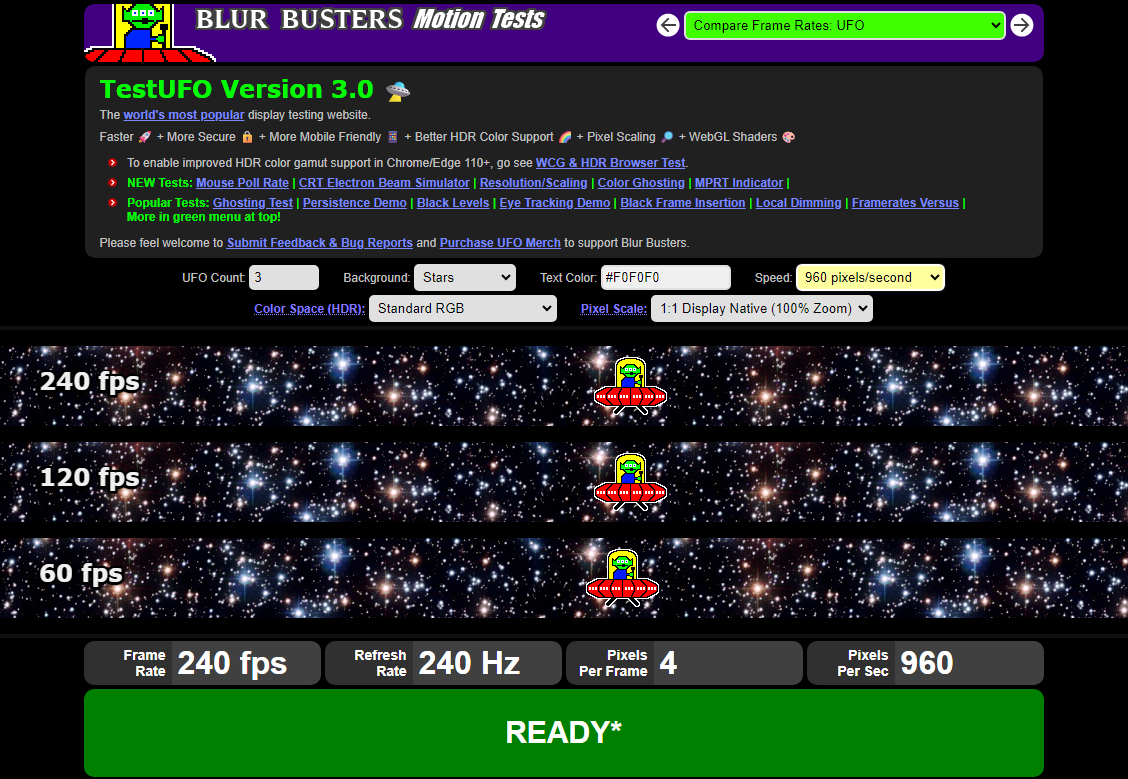
There are many new tests and demos in the green menu at the top of the screen, including mouse poll rate, mouse jitter test, resolution scaling, PLUGE test, white level test, chroma subsampling, CRT electron beam simulator, and more! There are several dozens of TestUFO screens available in the green menu at the top.
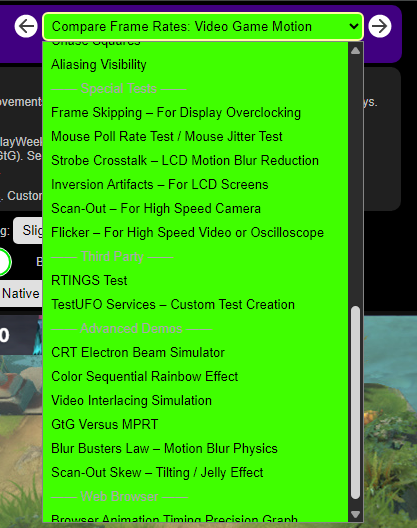
More information about these new tests follow afterwards the introduction of new TestUFO features:
Highlights of TestUFO 3.0 Upgrades
- Faster – Loads faster than TestUFO 2.x.
- Mobile friendly – Test phone and tablet screens.
- Native 1:1 resolution mode – Temporarily override OS DPI & browser zoom for test patterns.
- Custom pixel scaling – 100%, 200%, 300%, 400% and 600%.
- Optional integer scaling – Nearest neighbor scaling for pixelated versus smooth/blurry graphics.
- Better Sync – Green indicator works more often on more platforms including Linux and Mac.
- Improved WCG & HDR – Supports Display-P3 and Rec.2020 mode.
- WebGL support – Now supports rendering in WebGL mode.
- Shaders – Support for shader-based demos including CRT electron beam simulator.
- Bidirectional motion – Most motion tests can now scroll in both directions.
- Futureproof 1000+ Hz support* – Requires custom instructions to work (More info)
- Improved settings screen – Tweak TestUFO to your preferences
Introducing the New Settings Screen via Gear Icon
When you activate the big mean neon green gear icon in any screen, you will see a significantly expanded TestUFO Settings screen for sitewide settings:
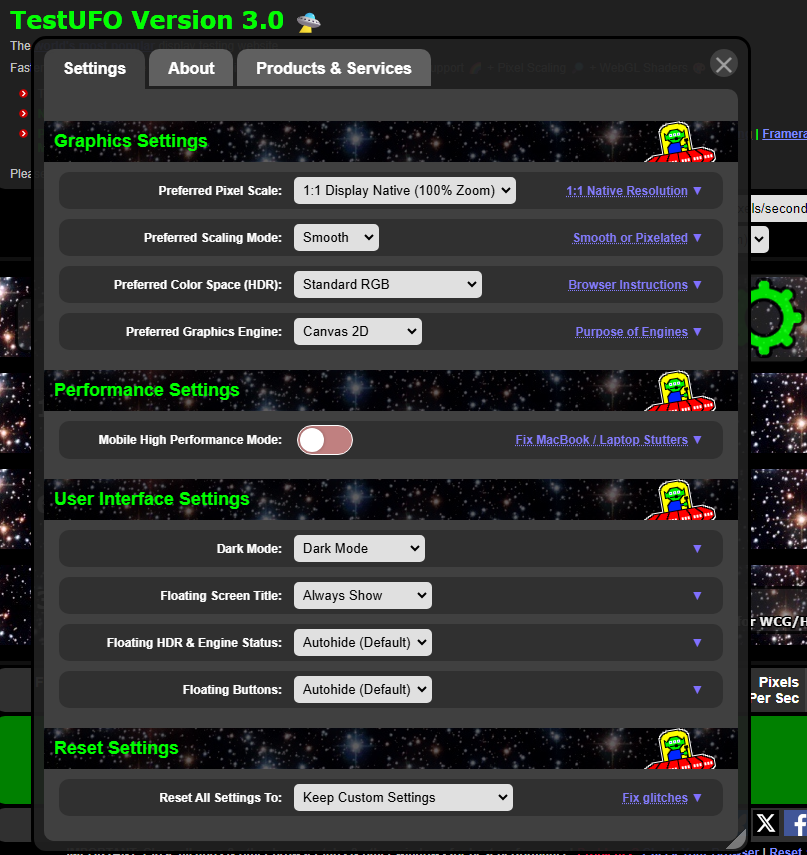
Clicking the blue expansion links gives you additional information about what the setting does. For more information about these settings, check out Using the TestUFO Settings Screen in the next page.
List of TestUFO Screens
TestUFO consists of multiple kinds of screens including display tests, demos, educational screen. These screens can also be accessed via the green menu. You may also access screens directly via links from this page too.
Demos / Educational
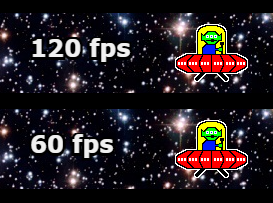
- Compare Frame Rates: UFO
This is the classic cover page of TestUFO that most visitors recognize. It is the most commonly shared frame rate comparison page, displaying UFOs running at multiple different frame rates.
v3.0 Enhancements: left/rIght motion, quick pixel scale, color spaces

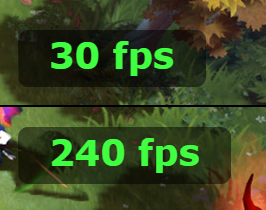
- Compare Frame Rates: Video Game Motion
This demo compares multiple frame rates in a split-screen scrolling demo of an RTS game. It has been used by multiple convention exhibits.
v3.0 Enhancements: left/right motion, quick pixel scale, color spaces

- Compare Frame Rates: Vertical Scrolling
This demo compares multiple frame rates for vertical scrolling text.
v3.0 Enhancements: quick pixel scale - Compare Frame Rates: Marquee
This demo compares multiple frame rates for horizontally scrolling text.
v3.0 Enhancements: quick pixel scale - Black Frame Insertion
Demonstrates the motion blur reduction benefits of black frame insertion.
v3.0 Enhancements: left/right motion, quick pixel scale - Persistence of Vision – Optical Illusion
Creates an optical illusion from persistence of vision. Displays look different depending on whether your eyes are stationary or moving. - Eye Tracking Motion Blur – Optical Illusion
Another optical illusion from persistence of vision. - Phantom Array Effect – Mouse Arrow
Demo of phantom array effect, which is often see when moving a mouse cursor rapidly.
v3.0 Enhancements: black and white cursor - Stutters and Tearing
Demo of different kinds of stutters and tearing. - Variable Refresh Rate Simulation
This is a simulation of variable refresh rate, showing how stutters can be reduced if a display uses a variable refresh rate.
v3.0 Enhancements: left/right motion, quick pixel scale
Display Information
- Refresh Rate – With Decimal Digits
This detects and displays the refresh rate of your display, and help you verify if TestUFO is successfully detecting your display’s refresh rate. - Screen Resolution – Scaling, DPI, 1:1 Native
This detects and displays the resolution of your display, and help you verify if TestUFO is successfully running at 1:1 native resolution.
NEW SCREEN in TestUFO v3.0 - Chroma Subsampling – 4:2:2 vs 4:4:4
This helps you determine if your display is using chroma subsampling.
NEW SCREEN in TestUFO v3.0
- High Dynamic Range / Wide Color Gamut
This helps you configure TestUFO to access the HDR of your display.
NEW SCREEN in TestUFO v3.0
Display Tests
- Ghosting / Pursuit Camera
This is one of the most popular TestUFO tests used by display reviewers and content creators. Many hundreds of display reviewers, youtubers, and content creators use this TestUFO demo to measure display motion performance for their users. It is the test that inspired the pursuit camera research paper.
v3.0 Enhancements: Improved instructions, UFO Deluxe by default, more pursuit camera options, easy smartphone handwave instructions, etc.

- Blooming / Full Array Local Dimming
This test lets you test for blooming artifacts on a local dimming display (full array local dimming, MiniLED, etc). - Moving Picture Response Time (MPRT Indicator)
This test lets you visually measure the MPRT of your display.
v3.0 Enhancements: left/right motion, pixel scale - Color Ghosting / Phosphor Asymmetry / KSF
This test lets you visually see phosphor ghosting on screens (e.g. KSF versus quantum dots). This specific screen was created as a collaboration with Nanosys-SHOEI for their convention demos at CES and DisplayWeek. - Black Levels (PLUGE)
Display test that helps you adjust your display black levels more precisely.
v3.0 Enhancements: 10-bit capability - White Levels (Clipping)
Display test that helps you adjust your display white levels more precisely.
v3.0 Enhancements: 10-bit capability - Moving Line / Blur Edge / PWM
A moving line or a moving blur edge, often used for display motion blur analysis in scientific circles. It also can help you visually detect if your display uses PWM dimming (creates a multiple-line artifact)
v3.0 Enhancements: More adjustable pursuit camera options - Moving Photo
This generates a scrolling photo or image. This generates persistence-based motion blur as you eye-track a scrolling image on a sample-and-hold display.
v3.0 Enhancements: left/right motion, pixel scale override - Chase Squares
This generates two blocks that follow closely behind each other, to allow you to analyze the display motion blur of your display. The less motion blur, the blocks can get closer together without their motion blurt overlapping each other.
v3.0 Enhancements: left/right motion - Aliasing Visibility
This is a visual test to allow you to determine jaggies in a line, while viewing a display at various different distances, to see how visible pixels are.
Special Tests
- Frame Skipping – For Display Overclocking
This display lets you test your system for skipped refresh cycles. It is popular among display overclockers, or also checking if your display has any firmware bugs. - Mouse Poll Rate Test / Mouse Jitter Test
This test allows you to test the poll rate of your mouse, as well as your mouse jitter. It has some very interesting mouse visualization goodies, so give it a try.
NEW SCREEN in TestUFO v3.0 - Strobe Crosstalk – LCD Motion Blur Reduction
This tests the strobe crosstalk artifacts of the motion blur reduction feature built into some LCD gaming monitors, such as ULMB, ELMB, DyAc, PureXP, and other brands.
v3.0 Enhancements: left/right motion - Inversion Artifacts – For LCD Screens
This tests for inversion artifacts found in some LCDs. - Scan-Out – For High Speed Camera
This test is designed to be used with a high speed camera, such as the one used by the Slo Mo Guys (Try videoing this test on an old LCD and new OLED with a Phantom Flex). Or you can also just use a common 960fps Super Slo Mo mode of a Samsung Galaxy too. - Flicker – For High Speed Video or Oscilloscope
This test flashes between two customizable colors. This allows you to measure pixel response with equipment, such as a high speed camera or an oscilloscope.
Third Party
- RTINGS Test
This is the TestUFO implementation of a motion blur testing pattern by RTINGs.
v3.0 Enhancements: Defaults to 1:1 native resolution, customizable pursuit camera options - We are inviting vendors to add their motion tests & static test patterns to TestUFO. This is an excellent way to put your motion tests for your public users in a web browser.
Contact us via services.blurbusters.com.
Advanced Demos
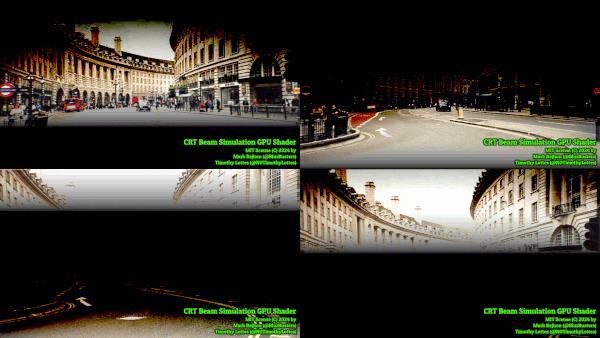
- CRT Electron Beam Simulator
This is the TestUFO version of the open source WebGL shader that simulates a CRT electron beam in real time. It has both real-time and slow-motion modes, to demonstrate motion blur reduction by using a software-based simulation of a CRT tube!
NEW SCREEN in TestUFO v3.0

- Color Sequential Rainbow Effect
This is a demo of a DLP color wheel. This screen flashes red, green, blue, in order to generate a full color image. If you are familiar with the DLP rainbow effect, you will recognize the artifacts this test creates. - Video Interlacing Simulation
This is a demo of old-fashioned CRT interlacing.
v3.0 Enhancements: 300% zoom by default, for better match to low resolution of retro interlaced displays. - GtG Versus MPRT
This is a demo of motion blur generated by pure persistence (MPRT) versus extra motion blur that is also generated by LCD GtG pixel response. - Blur Busters Law – Motion Blur Physics
This demo shows that double frame rate at double motion speed, generates the same amount of persistence motion blur as a half frame rate at half motion speed.
v3.0 Enhancements: left/right motion - Scan-Out Skew – Tilting / Jelly Effect
This demonstrates the rolling-shutter style artifact of display scanout. View this on a 60Hz display, to see the line tilting. It is particularly pronounced on common 60Hz office monitors, especially when viewed at a distance. It can also test for the jelly effect on different screens including mobile devices.
Web Browser
- Browser Animation Timing Precision Graph
This measures your web browsers’ frame pacing performance. It is a useful tool for browser performance diagnostic. This graph is so sensitive it often detect system stutters caused by background software (e.g. RGB-accessory lighting software, running Task Manager, etc)
v3.0 Enhancements: Frameskipping indicator & improved measurement accuracy to 5-20 microseconds (made possible via Secure CSP).