


Author Archive: Mark Rejhon
...
Read more
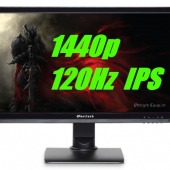
Overclockable IPS 120Hz Monitors Guide
A lot of our readers prefer LightBoost, ULMB, or similar, for CRT motion clarity in gaming. However, not everyone is happy with TN panels and their image quality. Users who need higher resolution and better color quality instead, can see our brand...
Read more
120Hz 1440p IPS Overclockable Monitors
IMPORTANT: This is an old 2014 post. Blur Busters now recommends purchasing newer monitors from: G-SYNC List | FreeSync List | List of Best Gaming Monitors Blur Busters often covers LightBoost, G-SYNC, and motion blur reducing strobe backlights technologies. However,...
Read more
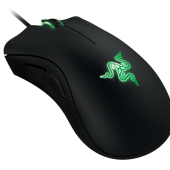
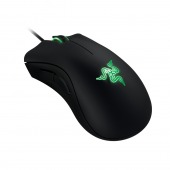
New Mouse Guide for the 120Hz/LightBoost/G-SYNC era.
Guest writer Ben Hansen (aka sharknice) has posted a new mouse guide. When using “Better Than 60Hz” technologies, including 120Hz, LightBoost, ULMB, G-SYNC, the benefits of a 1000Hz gaming mouse becomes much more visible, and more important. Check our new...
Read more
Geek-Worthy Buzz on Blur Busters Forum
Blur Busters Forums continues to buzz in very interesting discussion! See some fun threads: ROLL CALL: Who use LightBoost=10%? Any chances to get crt motion quality at 60hz in the future? Is the nVidia GSYNC pendulum demo available for download?...
Read more
The Blur Busters Mouse Guide
A Blur Busters Guest Feature Written by Ben Hansen (sharknice) of EliteOwnage.com Mouse settings become even more important when you are using high frame rate and low persistence, blur free displays such as LightBoost. With increased motion clarity, the fluidity...
Read more
G-SYNC Monitors are PWM-Free
Using the TFTCentral PWM test method, the ASUS VG248QE has become PWM-free through the G-SYNC upgrade. (PWM is pulse-width modulation, is a method of brightness adjustment). This camera-wave photo on VG248QE GSYNC shows that this monitor is now PWM-free. G-SYNC monitors...
Read more
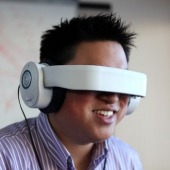
Personal “Theater Goggles Display” Supports 120Hz
Not quite Oculus or VR, but interesting: The Kickstarter for the Glyph visor personal theater headset supports 120Hz. Essentially a headphones with a flip-down 3D-compatible video visor, it can connect to any video source, including laptops. Although its input lag is...
Read more
DisplayPort 1.2a Specification Change Request for Industry Standard Variable Refresh Rate
Hot on the heels of NVIDIA G-SYNC, AMD demonstrated FreeSync, something more easily done with laptop controllers (which can dynamically change refresh rate, but for power saving purposes). To bring FreeSync to desktop monitors, AMD applied for a DisplayPort 1.2a...
Read more
Oculus VR prototype OLED uses strobing techniques to reduce blur
LinusTechTips has posted a video that confirms that the Oculus VR Crystal Cove prototype uses a strobed OLED to achieve low persistence. Blur Busters is mentioned by LinusTechTips at 4:30 in the video, pointing to our popular article, “Why Do...
Read more
LightBoost Works Under Mac OS X
The use of Boot Camp and SwitchResX makes LightBoost possible under Mac OS X, running an AMD or NVIDIA GPU (non-Optimus, without an Intel GPU alongside NVIDIA GPU). From this, it is easy to enable LightBoost on a 120Hz monitor...
Read more
Overlord Computer now has G-SYNC Monitors in Stock
After being out of stock since Christmas, Overlord Computer now has preassembled upgraded ASUS VG248QE G-SYNC monitors in stock! These are monitors that they have modified to install G-SYNC upgrades in them. If you’ve been waiting, but don’t want to...
Read more